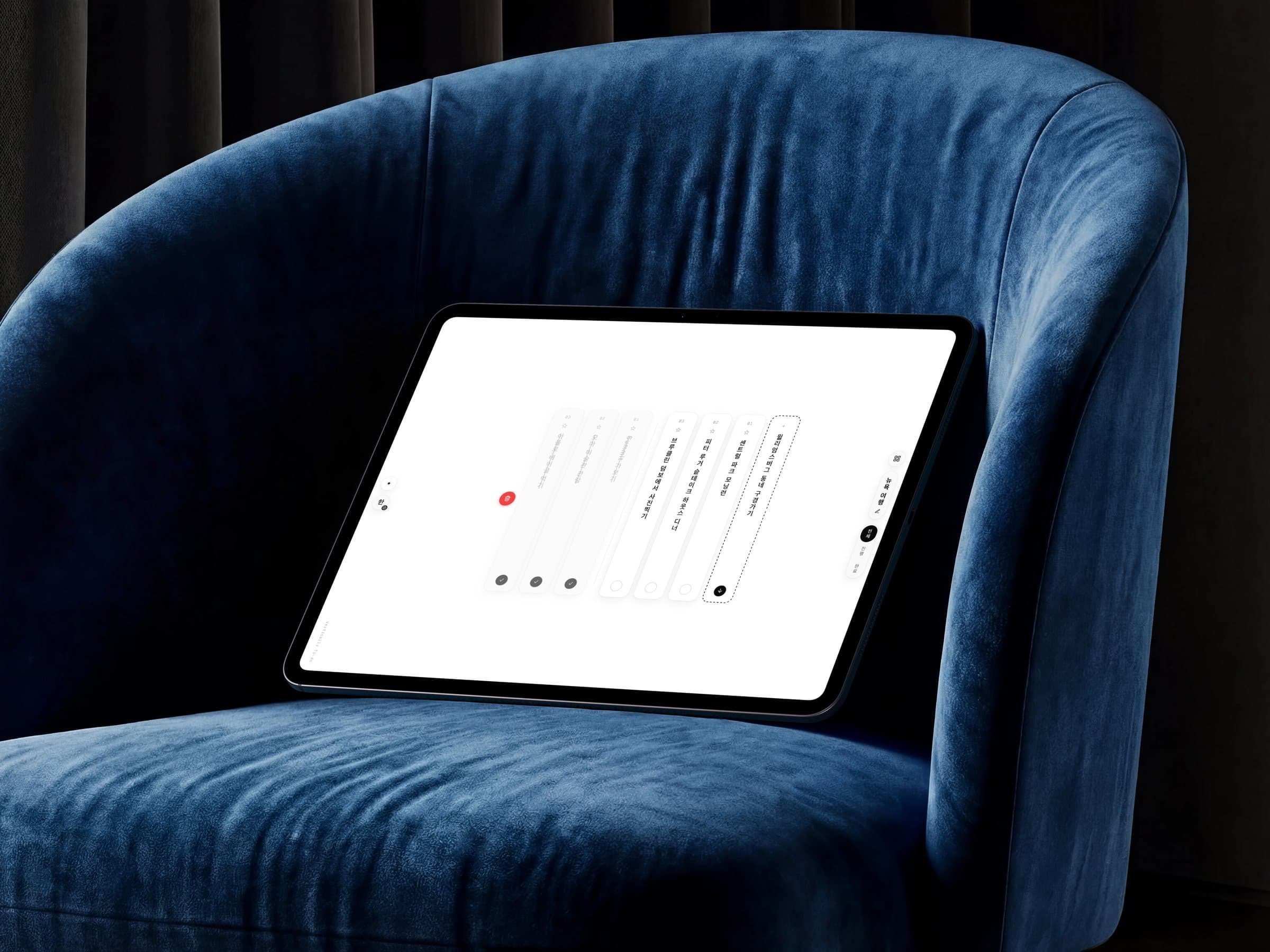
Up close
Pull down to delete
Drag a column down past the end of its own text and a trashcan opens behind it, in the slot it vacated — the gesture gets a visible target instead of an invisible threshold. Release early and the column settles back; pull through, or flick with enough speed, and it drops. Down carries the meaning because down is where the writing ends.
Sideways to reorder
The same grab, turned 90°: move first along the row and the drag becomes a reorder, neighbors parting to make the slot. Two orthogonal axes split the intents — vertical removes from the flow, horizontal rearranges it — so there is no long-press mode and no delay before the app knows what you mean.
Tap the circle to complete
Each column ends in a circle at its foot — the line closes out where the writing ends. The check holds for a beat before the column departs, long enough to feel done rather than deleted.
The language gate
A first visit starts with a choice, not a list: 中 · あ · 한 as three vertical columns, reading right to left. Nothing is seeded until one is picked — the sample tasks are then written in that language, so the first thing you read teaches the interface in your own script.
Your first task clears the stage
The samples are labeled as samples, and they know when to leave: write your first own task and the remaining ones sweep away, a toast offering 되돌리기 in their place. Touching a sample — completing it, starring it — quietly adopts it instead. The demo never has to be deleted by hand.
Features
Tasks are columns
Every task is a full-height column you read top→bottom, stacking right→left with the newest at the reading start. The list scrolls like a page of writing.
Pull down to delete
Drag a column past the end of its own text and a trashcan opens behind it, in the slot it vacated.
Orthogonal drag axes
Vertical deletes, horizontal reorders. Direction carries the intent, so there are no long-press modes to find.
Vertical text input
You compose a task in a contentEditable vertical column that stays centered as you type. Writing and reading share one axis.
한 / あ / 中
One toggle re-localizes the whole interface across Korean, Japanese, and Chinese: one logic, three vertical scripts.
Design Decisions
Why are tasks full-height columns?
A to-do is a written line, and in vertical writing a line is a column. Full column height keeps the page's rhythm, so the list reads like text, not a table of rows spun sideways.
Why does pulling down delete?
Down is the reading axis, so dragging a column past its own end carries it out of the flow. The trashcan opens behind the card in the vacated slot, giving the gesture a visible target instead of an invisible threshold.
Why split the drag axes?
With two orthogonal axes, direction carries intent: vertical removes from the flow, horizontal rearranges it. The drag's first direction decides, so there are no modes and no delays.
Use it in the browser
The app owns the full viewport at todo.vertically.works. Your list is saved locally on this device.