Verse on iPhone Duo
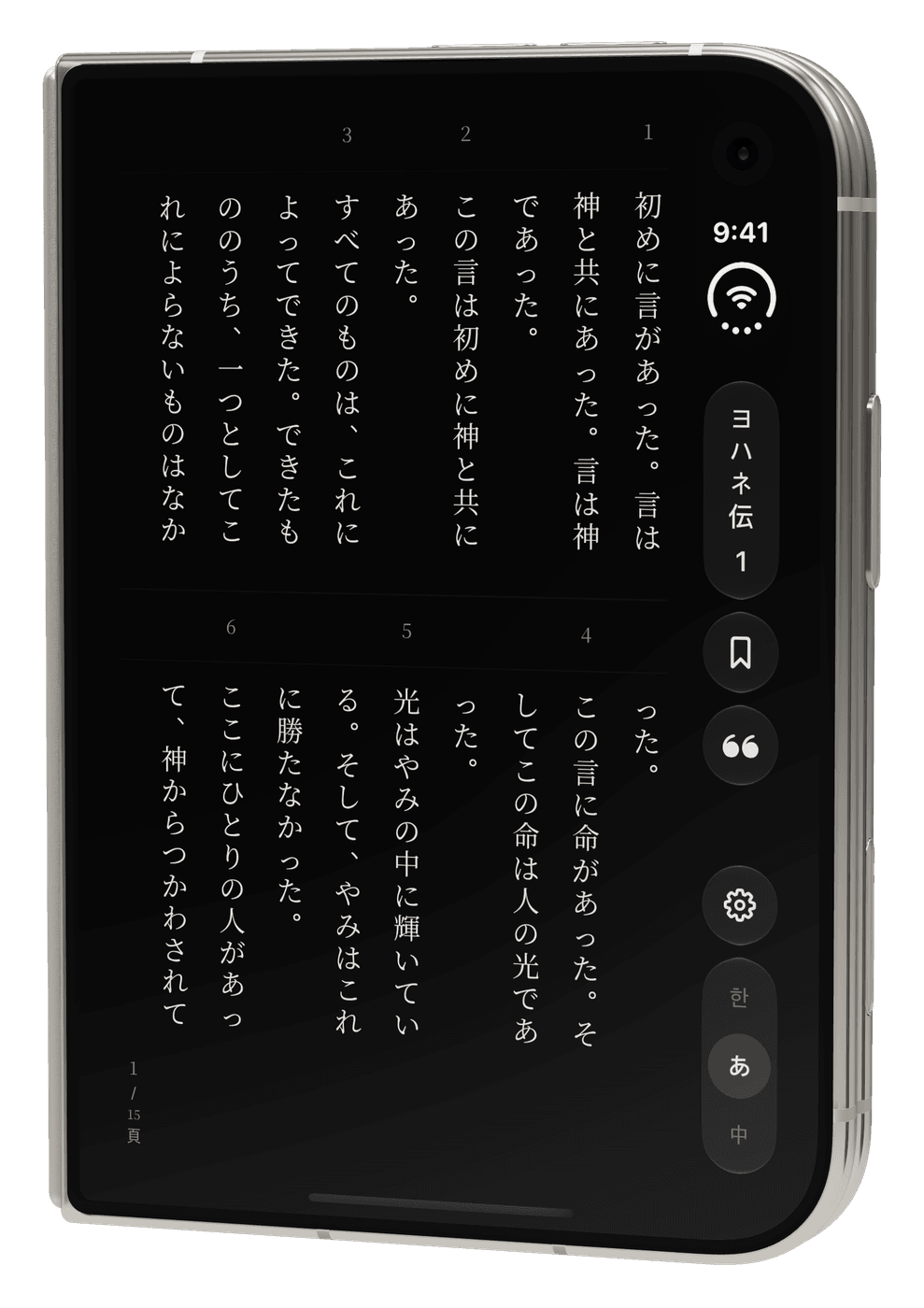
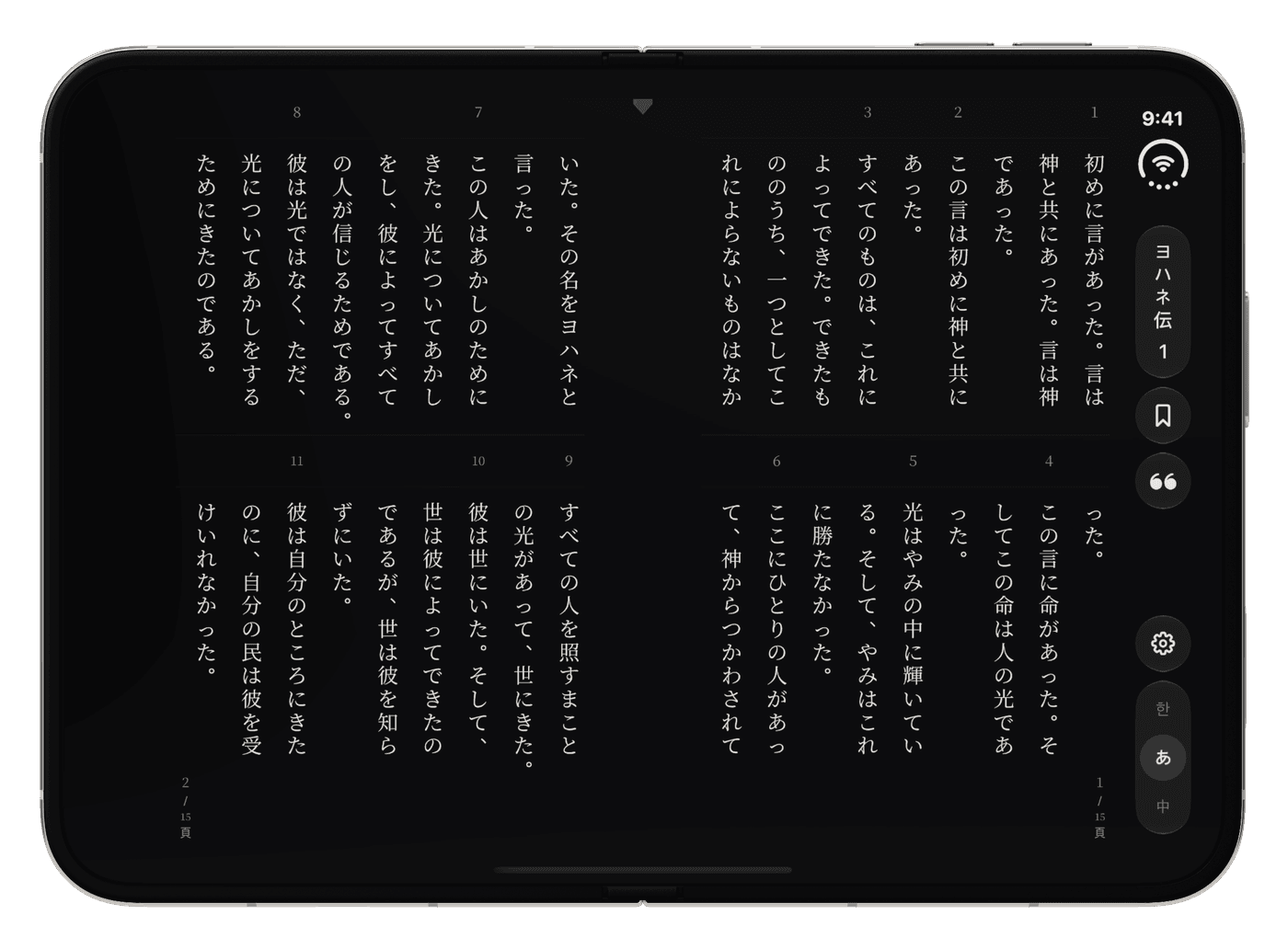
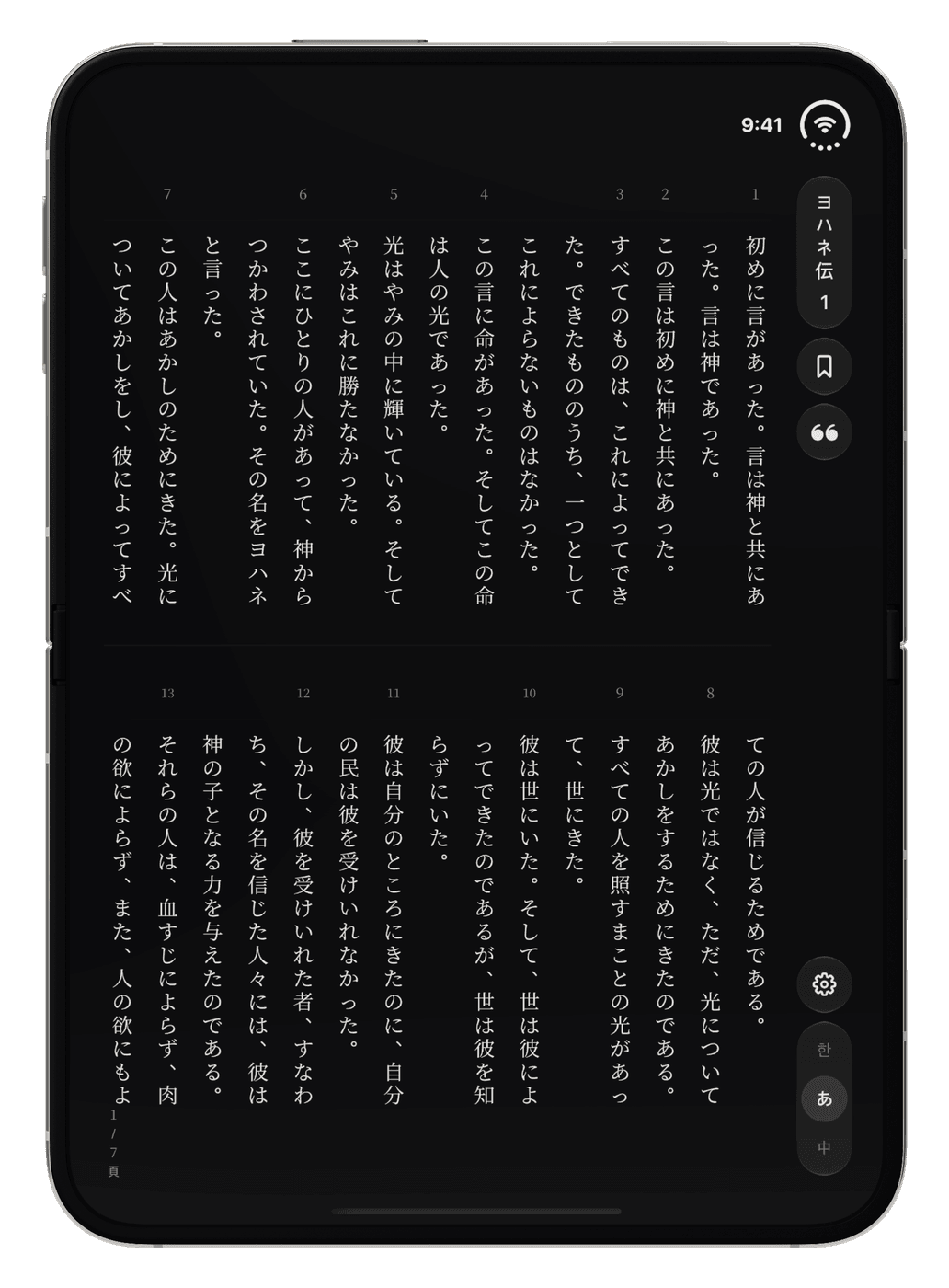
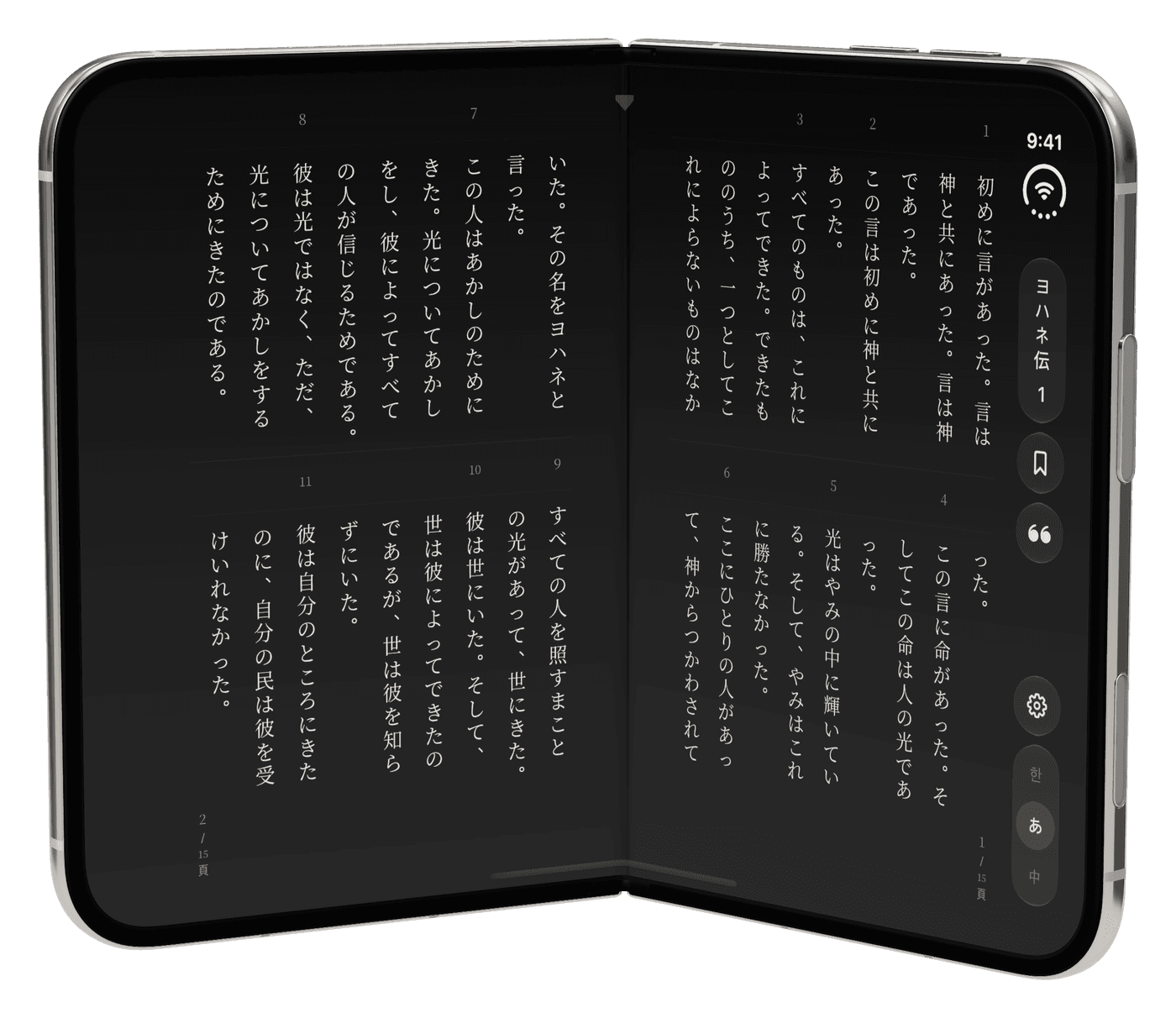
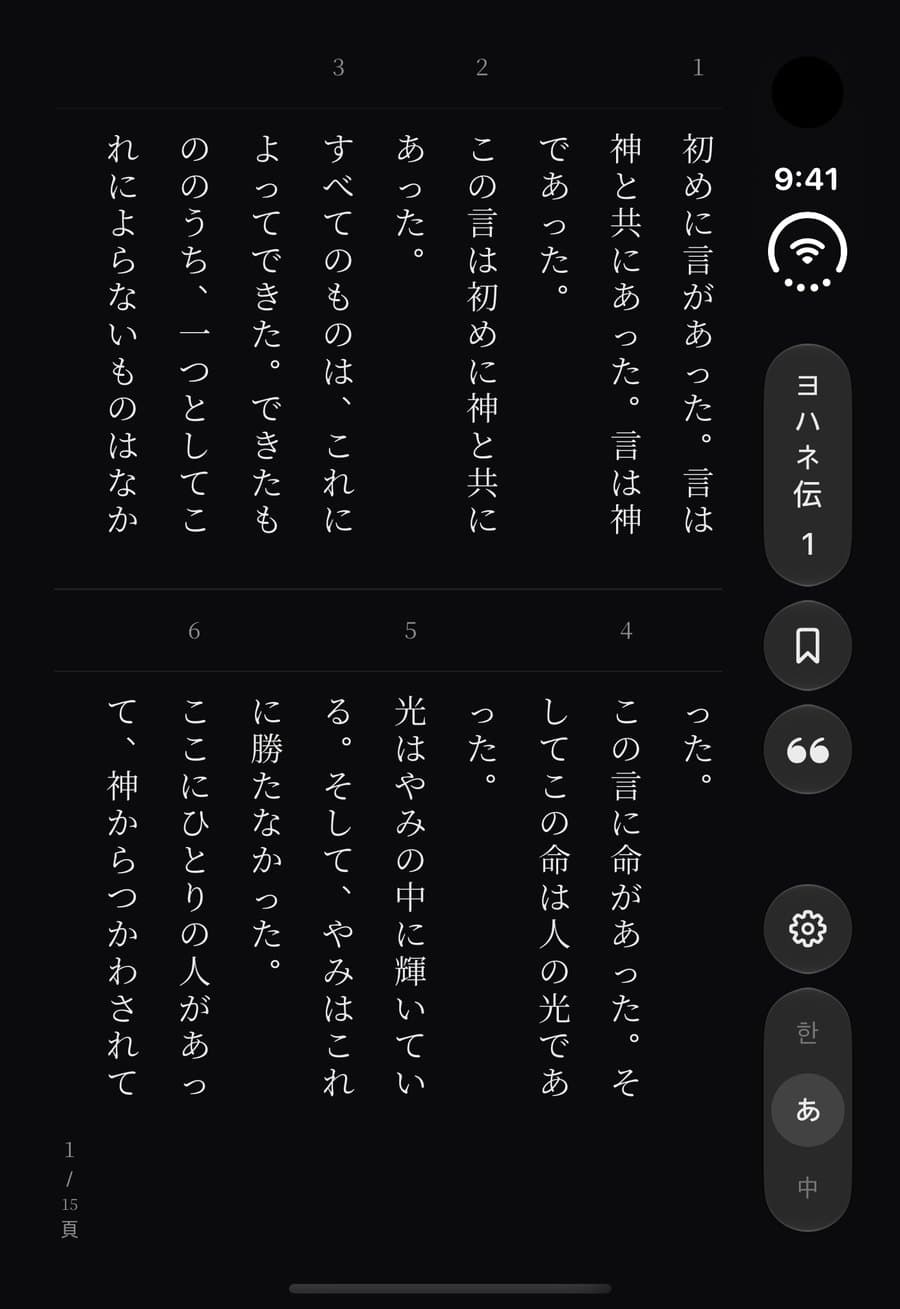
In 절별, the app's two-tier page, the Duo reads as a book. Closed, the outer display holds one page; opened, the inner display is a right-bound spread with the fold as its spine; held upright, it is a single page. There are no page buttons: the page is the control, and you turn it by peeling it.
Outer 466 × 678 pt · Inner 951 × 669 pt · Japanese 口語訳, 明朝, two tiers · screens captured on Xcode 27.1's iPhone Duo simulator, the device renders on a 3D model of the phone
Four holds
Up close
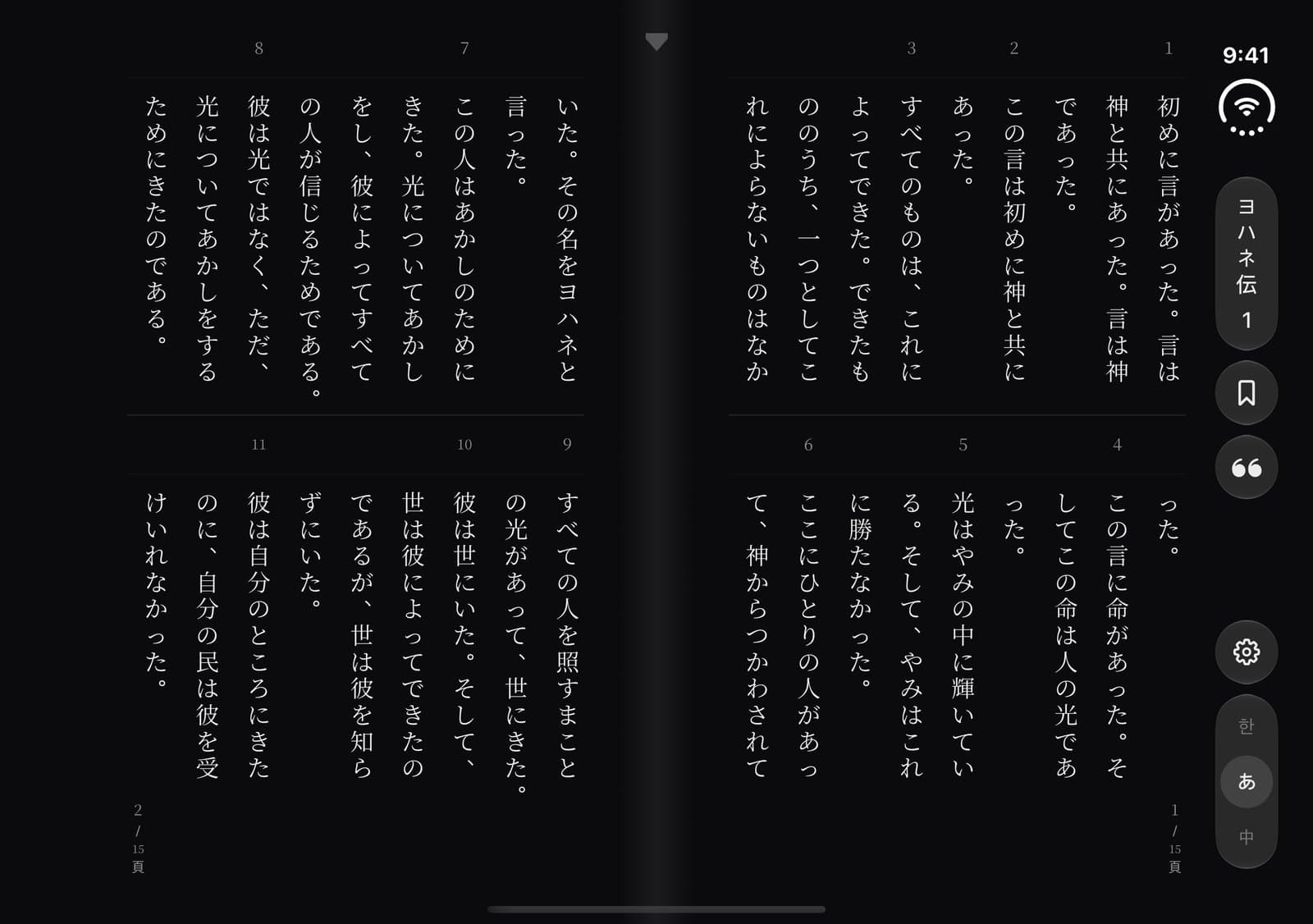
The fold is the spine
The book is right-bound: the right page is read first, and a forward turn lifts the left page over the spine. The spine sits on the fold the system reports and carries only the 魚尾 (fishtail) mark a woodblock-printed book carries on its fold; a fold shade appears only in the Book pose, where the display really bends. The pages run to the display's edges, both fore-edges clear the system's control column, and the rail sits inside that column, centred on its axis 48 pt from the edge.
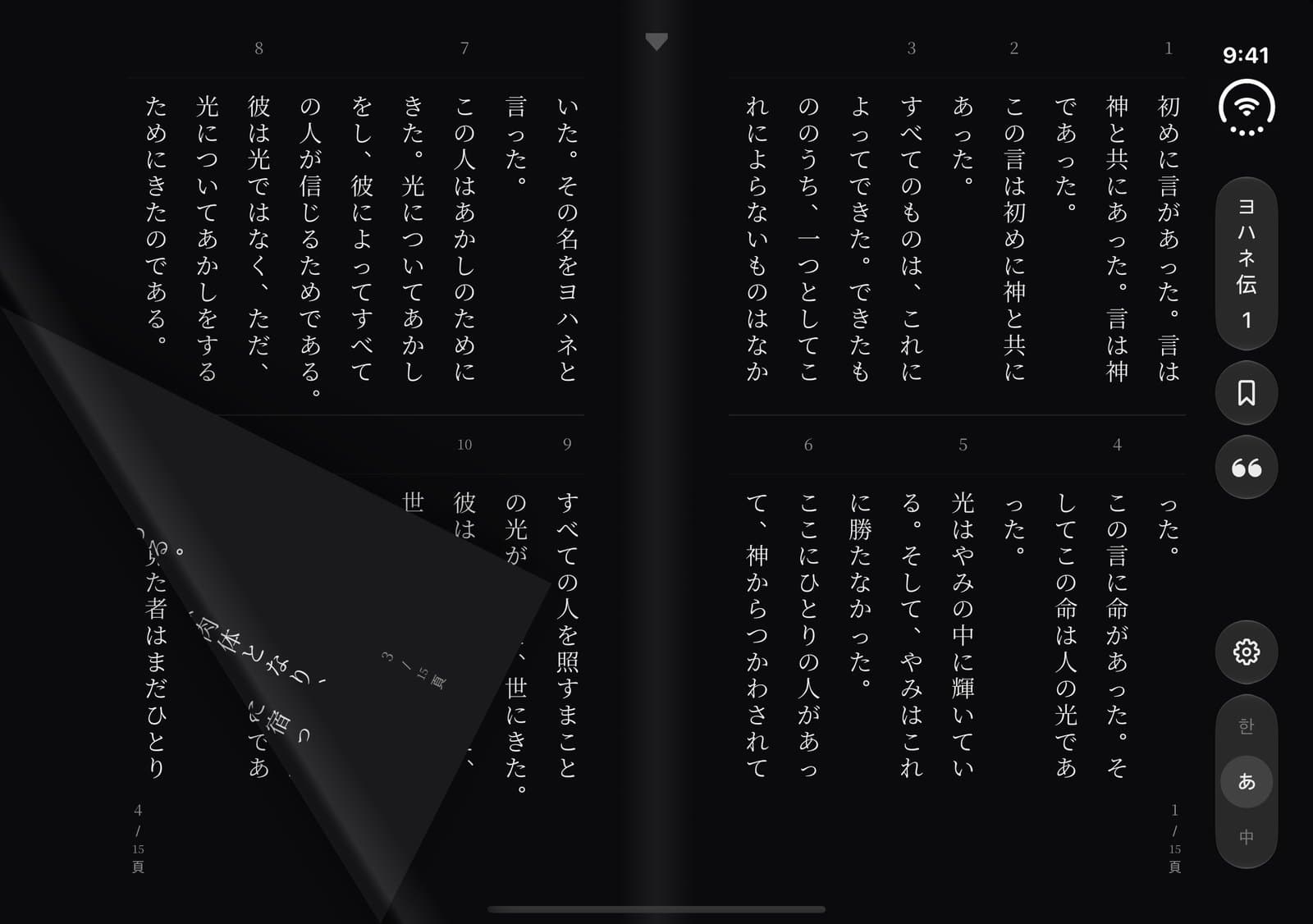
Turned by peeling
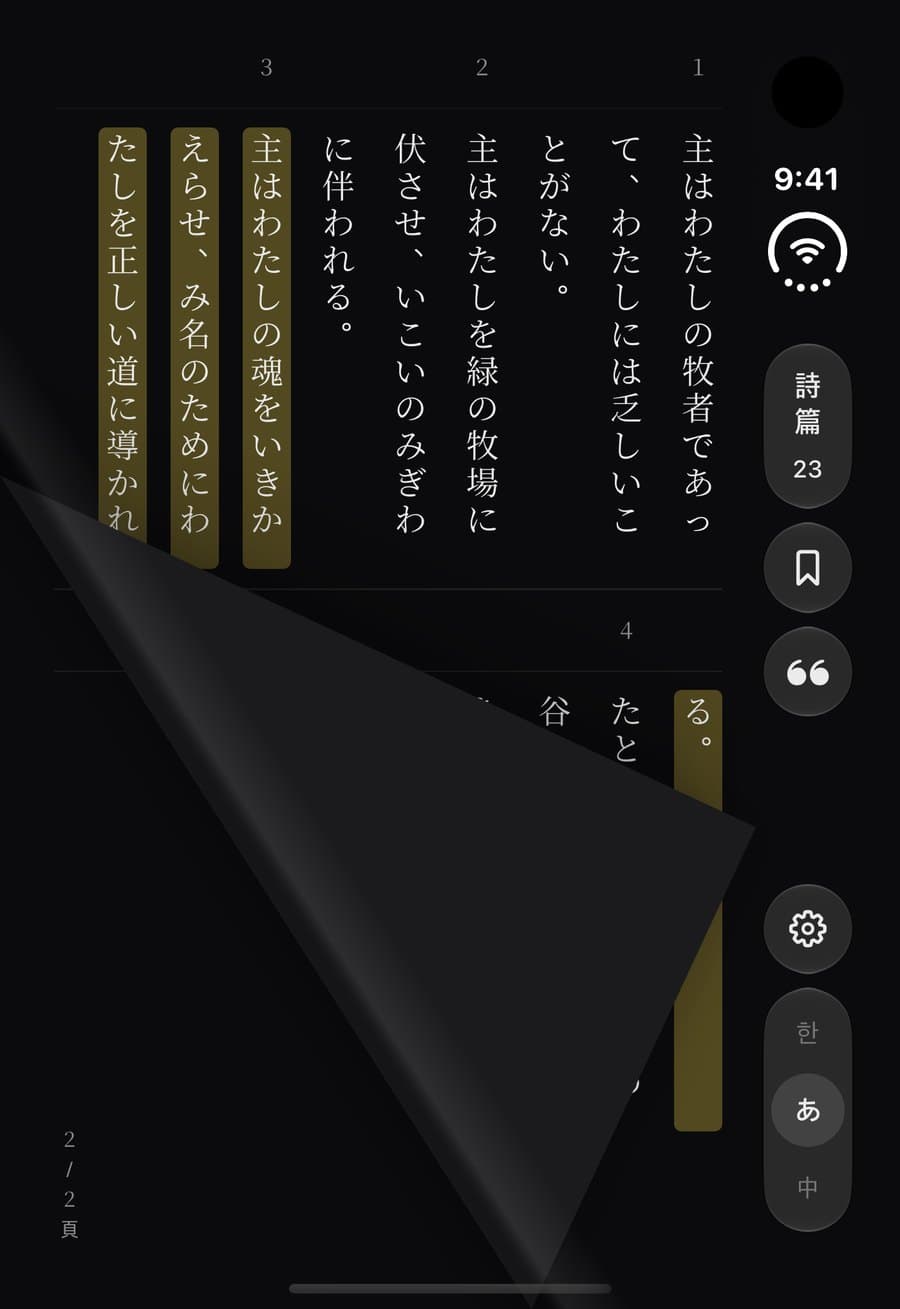
Any horizontal drag peels a leaf. It follows the finger one-to-one from where it was grabbed, and the grip (top corner, midline, bottom corner) decides the fold. Thrown faster than 110 pt/s it goes the way it was thrown; slower, it commits after about 56 pt of travel, then settles on a spring seeded with the finger's speed. A finger landing on a leaf in flight catches it. The curl reads normally because its back face is reflected across the fold, as on paper. A tap in a page's outer margin turns it too; under Reduce Motion a swipe turns the spread as a crossfade, and VoiceOver turns it with a three-finger swipe.
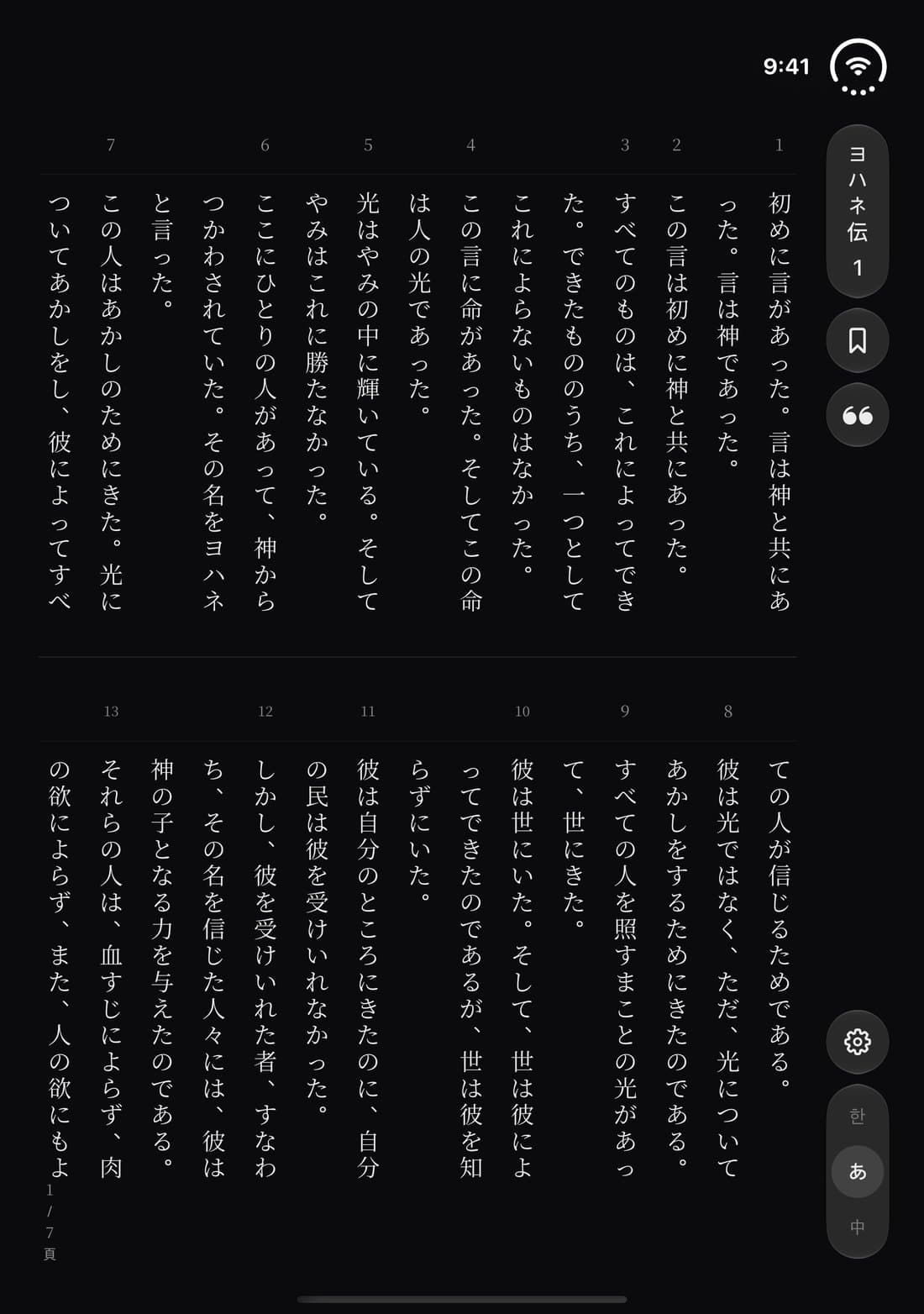
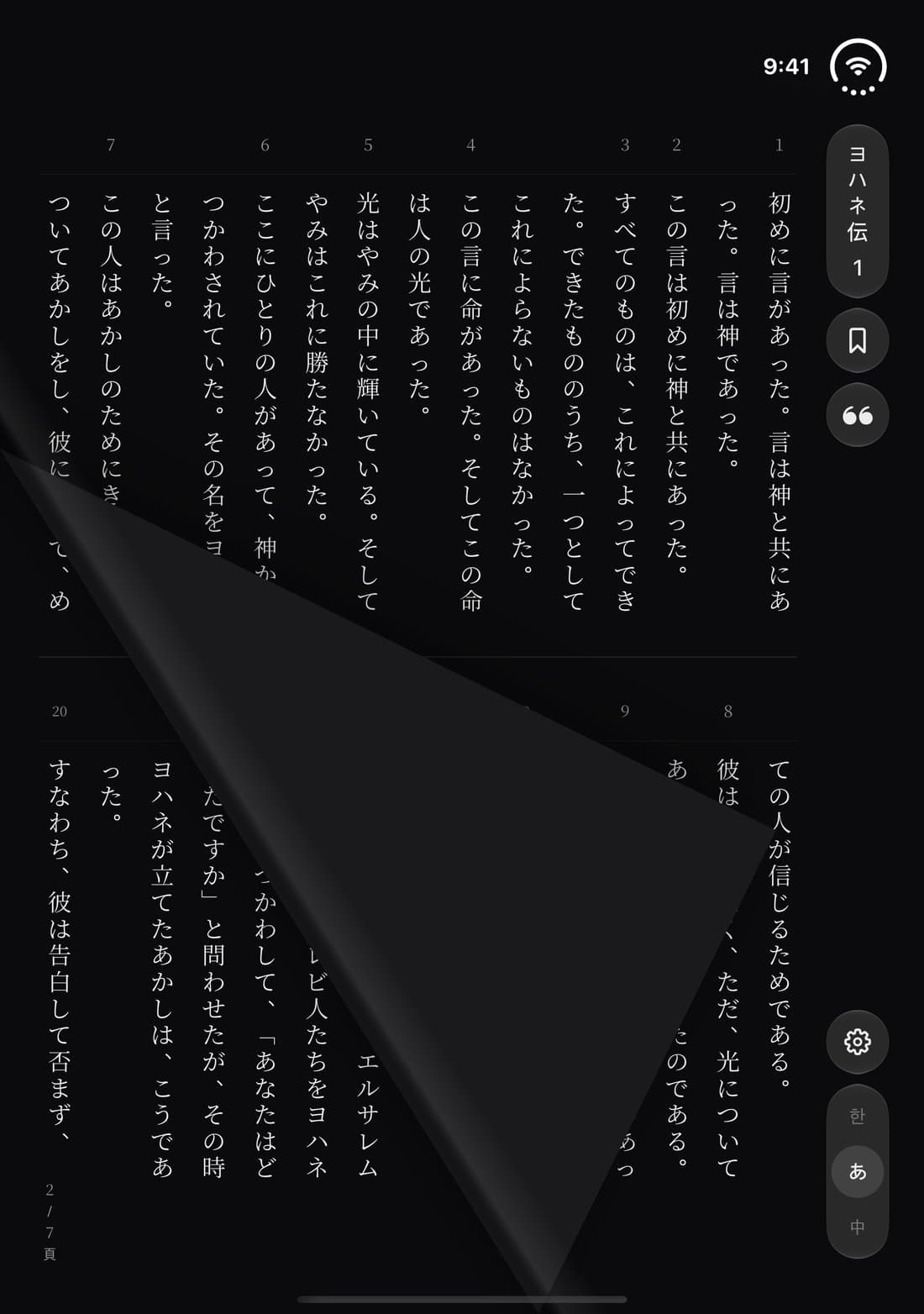
Held upright, one page
Rotate the opened phone and the spread becomes a single page the size of the display, its spine the right edge under the control column. In 절별, or whenever it is folded, the page takes two tiers with their divider on the hinge, so no column runs across the bend; lying flat in 흐름 it is one tier of full-height columns. A drag peels the page over its right edge. Rotating keeps your place: the page reflows around the verse you were reading.
Closed, still the same book
In 절별, the app's two-tier page, the closed display is not the phone's rows turned by arrows but one page of the book, turned by the same peel. The rail loses its arrows on every Duo display, which also keeps it clear of the status bar and the camera. In 흐름, the continuous scroll, the outer display stays the phone's scroll.
The single verse keeps off the fold
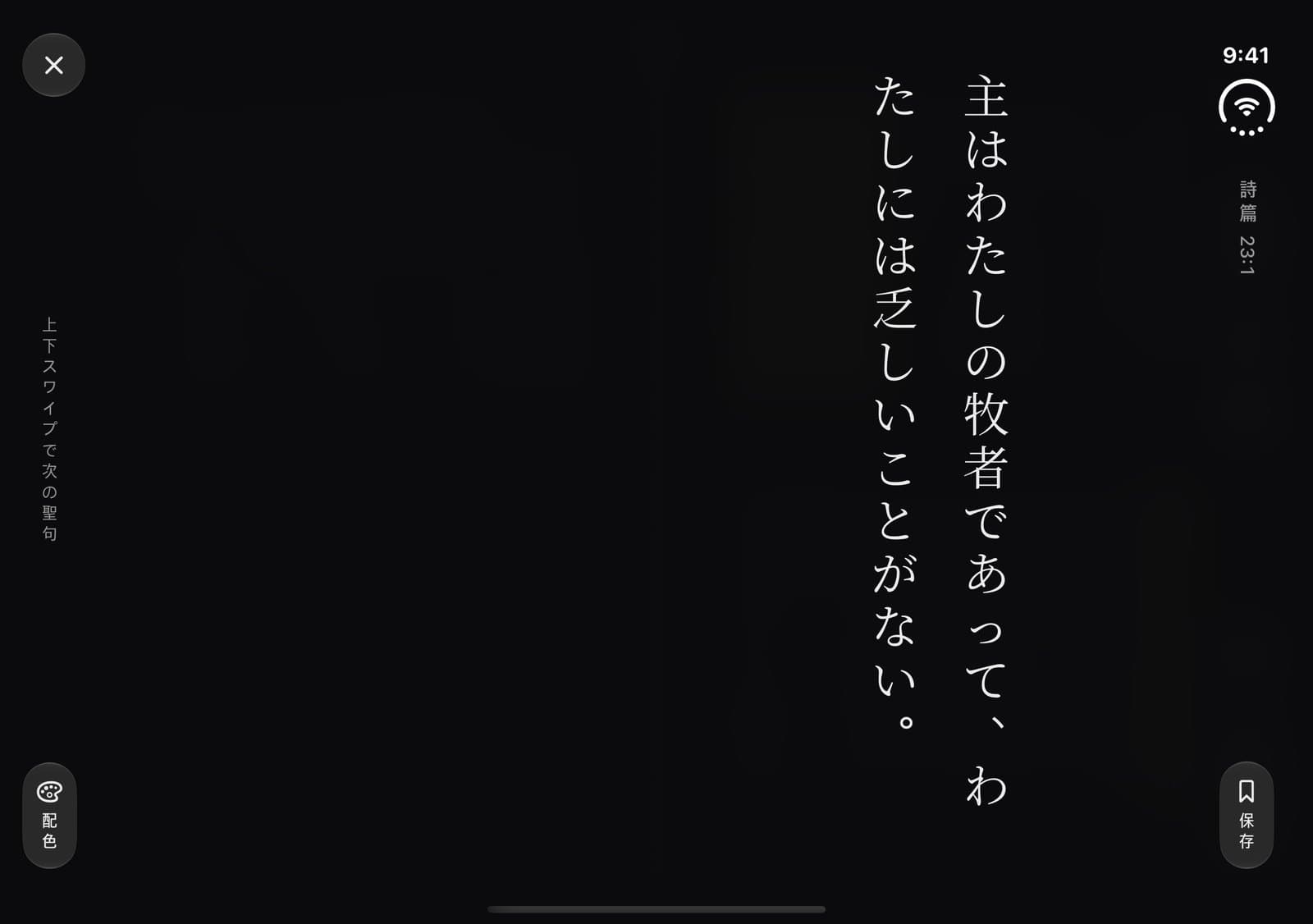
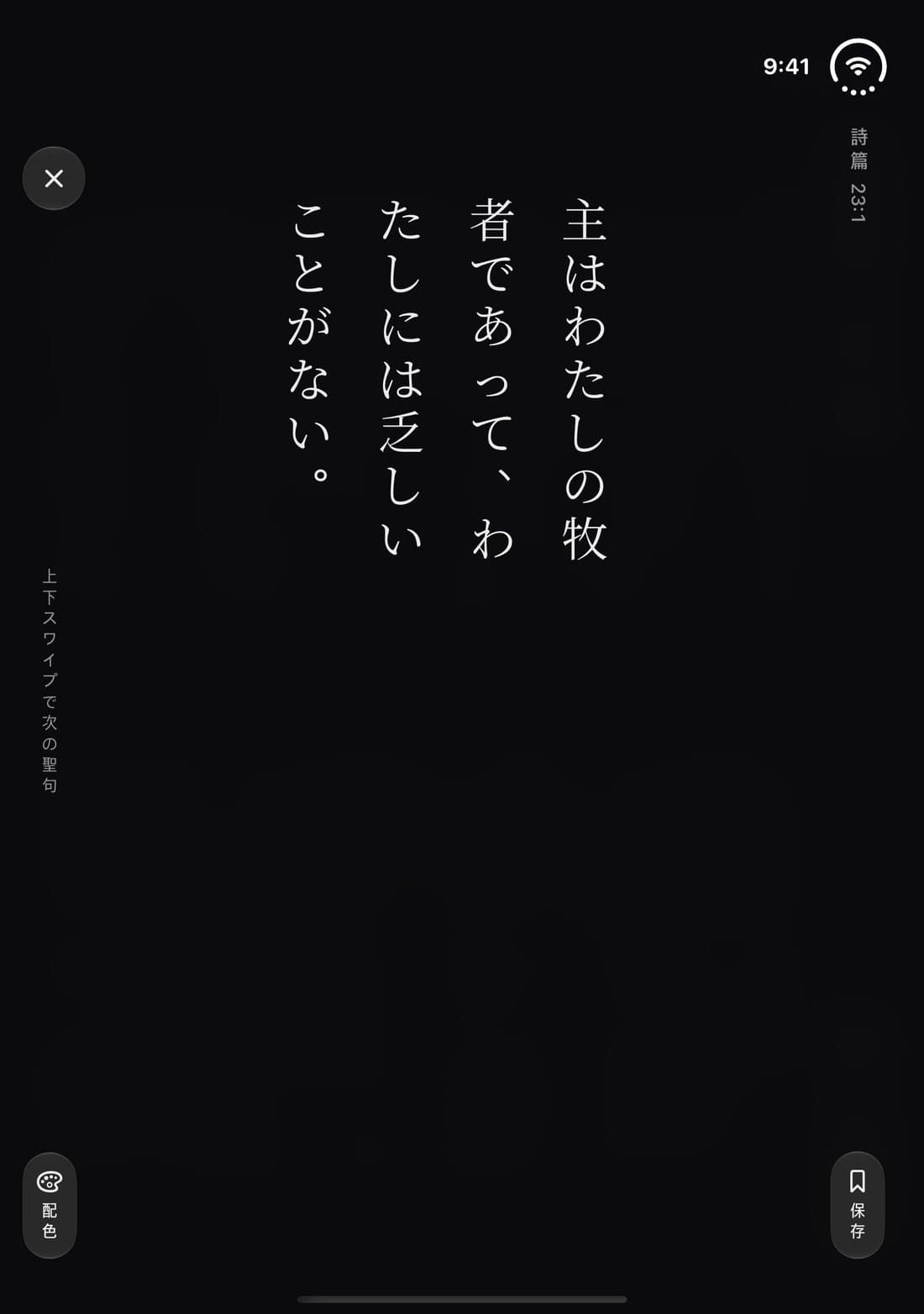
묵상하기, the surface that shows one verse at a time, moves its reference and save into the system column and takes the full height. Folded, the verse sets itself on one side of the hinge: the right page when the hinge is vertical, where reading starts, and the upper half when it is horizontal, the half facing you.